
Grouping
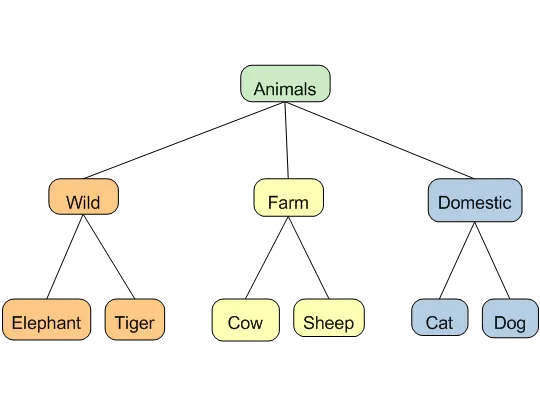
With this type of map you can brainstorm, group and create a hierarchy of ideas. While this format is not an argument map, it assists you in formulating categories with levels that descend from a general idea or concept to more specific ideas.
See also...
What is grouping?
Grouping FAQ
Introduction
Grouping maps are an effective way to organize information and brainstorm ideas into a meaningful structure.
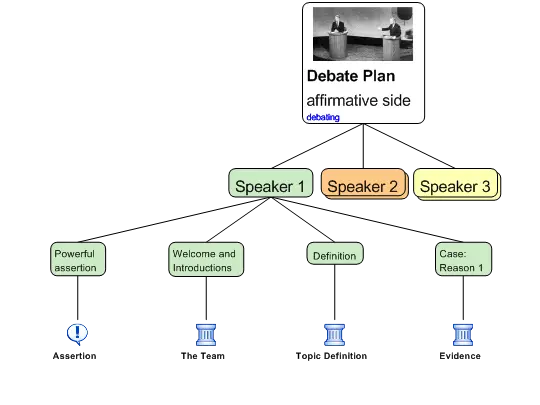
The main topic, concept or general category goes in the top box and each layer beneath divides this larger category into smaller groups, concepts or sub categories. Your examples will usually go on the bottom layer.
Use color to assist identification and organization of information.
Grouping Panel
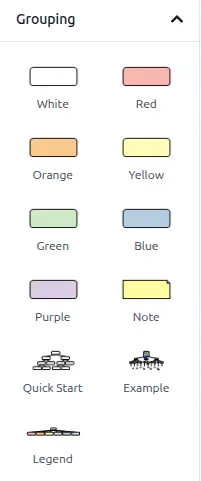
The grouping panel on the left side of the workspace contains all you need to build grouping maps. You can drag and drop color boxes.
What is Grouping?
You can use this simple 'white box' map type in any way you like, and you can probably think of uses we haven't! On the other hand, if you want to use Grouping maps as a thinking tool, here are some tips and basic principles of good hierarchical map organization. These simple principles can greatly clarify thinking - and some of them can be applied to argument maps as well.
Levels

Think of the different levels on the map as meaning something about how general or specific an item is.

Broadly speaking, the higher the level, the more general or abstract the item. The lower the level, the more specific or detailed the item.
Here are some examples:
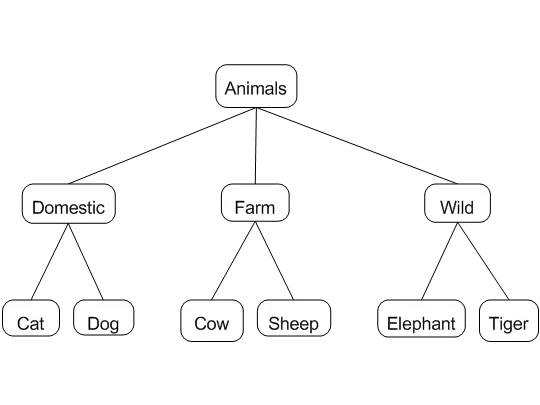
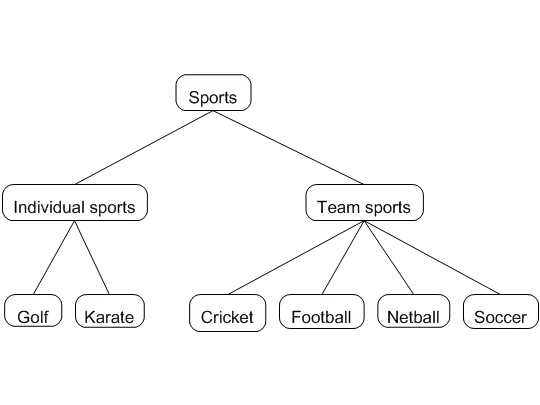
It pays to try to keep some consistency in the degree of generality applying to each level. You might think of each level of a map as an elaboration of the level above it, e.g. as making up the elements of a 'group' or category, such as:


Categories
Think of things that are alongside one another in a map as belonging to the same level, e.g.. See the 'Animals' example above. Try to have no overlaps in your categories, e.g.

and, where the topic allows it, having all and only the things that belong, so no gaps, e.g.plaatje

...and no impostors, e.g.

See also:
Grouping FAQ
Grouping FAQ
Grouping Maps
What do I use Grouping maps for?
Grouping maps are used to group items or form categories. Good grouping structures start with a broad category at the top and become more specific as you move down the levels.
Can I change my grouping boxes into other sorts of boxes?
If your grouping or item boxes are not attached you can change them to a reason, objection, a sticky note or a basis box in the reasoning map format. (They will become a contention automatically when a reason is attached to them). To change an item box go to the "Home" tab and in the "Change" section click on "Box." This will scroll through the options changing your box as it scrolls. You can also select the arrow button under "Box" to select your choice. Alternatively, you can right click on your mouse and choose "Change to..." and select the required box.
If your item boxes are already attached then you can only change the entire map to a reasoning or analysis map. To do this, go to the "Home" tab and in the "Change" section select the sort of map you want the grouping map to be converted to.
Can I color my map?
Yes, you can choose colour boxes from the grouping pane. To do this, drag and drop the colored box you would like to use onto your workspace. You can choose red, orange, yellow, green, blue or purple.
You can also colour sticky notes, by right clicking on the sticky note, choosing "Change Colour" and selecting the colour you want.
How do I change a blank box into a colored box?
There are several ways to do this:
- Select the box by clicking on it and choose the "Colour" icon in the "Change" section on the "Home" tab. You can either click on the icon to scroll through the colour options, else select the arrow underneath the icon to display and choose an option.
- Colored boxes can also be dragged and dropped into existing claim boxes, including those with text in them. A purple square will appear in a box to indicate where the colour will land.
- You can use the "repeat stamp" button to colour a selected box with the last colour used.
What do I use colour boxes for - is it just to make the map attractive?
Colour can certainly make maps look more attractive yet there are other good reasons to use colour.
Firstly, colour enables you to sort items to determine what groups or categories they belong to.
Secondly, colour enables you to represent your information in a visually distinctive manner. For instance, different categories and the items which belong in that category can be shown with different colors (see above animal example).
Thirdly, colour enables you to quickly distinguish information for quick reference.
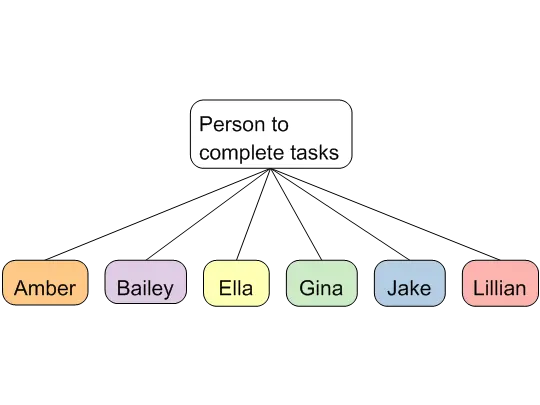
The sorts of maps that you might create with colored boxes include formulating categories, planning priority lists or determining who will take responsibility for tasks. In whatever manner colour is used, you will be able to provide a legend to make this clear. You can create a legend by dragging the blank legend boxes from the Grouping tab onto your workspace and typing in appropriate labels.
Can I have mixed maps, such as a grouping map with some reasons attached?
Rationale does not allow you to show different map formats structured together, such as a grouping map with a reason and objection attached. This is because the maps have specific purposes and it is important to maintain their distinctions. Nonetheless, if you drag and drop a reason onto a grouping map, the entire map will change to a reasoning map. If you drag and drop an analysis box onto a reasoning map, the entire map will become an analysis map. In other words, Rationale will convert the map up to the next map format. This means that an item box from the grouping tab added to an analysis map, will be an analysis claim box.
Can I use colour boxes in reasoning and advanced reasoning maps?
Colour item boxes are only available for grouping maps. This is to reduce any confusion because reasoning and advanced reasoning maps use colour to represent important conventions. For instance, green represents reasons, red represents objections, orange represents rebuttals and white represents the contention. However, you can still use various colour sticky notes on these maps.
Why are the boxes in grouping maps called items?
These boxes are called items to allow you the freedom to use them for whatever purpose you have - these can be objects, ideas, categories, beliefs, plans.... anything you want.
Grouping: Examples
Click on the image to open it in the Rationale Editor.
Quick Start
Example
Legend